Guides
The Complete OKX Guide for Beginners (2026)
A plain-English, step-by-step OKX guide for beginners: sign up, verify, deposit, buy and withdraw.
Last updated: June 2026 · By the bsvar editorial team
New to crypto? OKX is one of the world's largest exchanges, and this guide walks you through everything — from creating an account to your first trade and withdrawal — in plain English, with the common beginner mistakes flagged along the way.
⚠️ Risk warning: Crypto is highly volatile and you can lose your entire investment. This is an operational tutorial, not investment advice — always do your own research (DYOR). See our Disclaimer.
The whole process at a glance
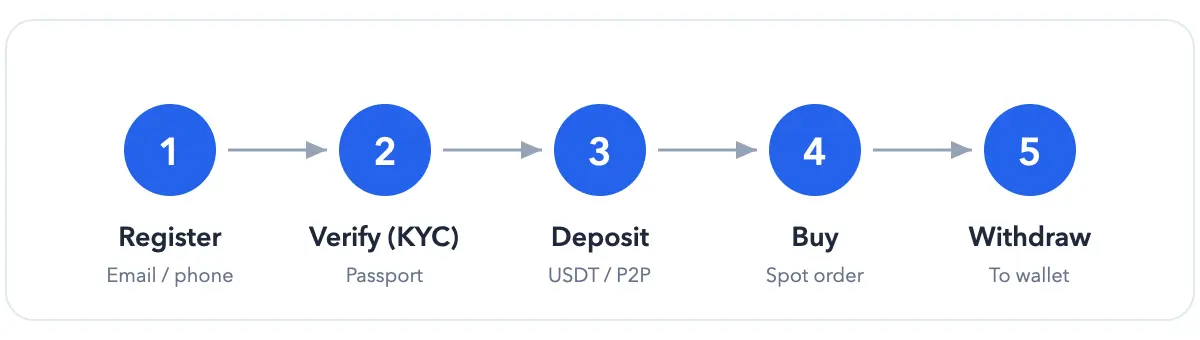
Five steps, that's the whole thing. Let's break each one down.
A few terms first (read this if you're brand new)
- USDT — a "stablecoin" pegged to roughly 1 US dollar; crypto's go-to "middle" currency.
- Spot — buying and holding a coin outright; no leverage, no liquidation. Best for beginners.
- KYC — identity verification, a legal requirement on exchanges.
- 2FA — two-factor authentication; a one-time code on top of your password.
- Chain / network — the blockchain a transfer travels on (TRC20, ERC20…). Pick the wrong one and you can lose funds.
- Funding vs Trading account — deposits land in Funding; move them to Trading before you can buy. This is where many beginners get stuck.
What is OKX, and why people use it
OKX (founded 2017) is a top-tier exchange offering spot, derivatives and more. Newcomers like it because the interface is approachable, liquidity is deep, and you can buy crypto with local payment methods via P2P.
Availability and regulation differ by country — confirm OKX is legal where you live first. This guide isn't aimed at jurisdictions where crypto is prohibited.
Step 1 — Create your account
- Open the official site: 👉 Go to OKX
- Sign up with email or phone and set a strong, unique password.
- Enter the verification code — you're in.
Tip: use an email/phone you'll keep long-term; you'll need it for security alerts and recovery.
Step 2 — Verify your identity (KYC)
Go to Profile → Identity Verification, pick a document type (a passport works well internationally), upload it and complete the face scan. Approval usually takes minutes to a few hours.
Step 3 — Add funds
- Buy with cash via P2P (easiest for beginners): Buy Crypto → P2P, choose USDT, an amount and a payment method, then pay a reputable merchant — funds release after confirmation.
- Deposit USDT on-chain (if you already hold some): Assets → Deposit → USDT, then choose the chain (TRC20, ERC20…) that matches the sender.
⚠️ The #1 way to lose money: the coin and the chain must match. Send a small test amount before any large transfer.
Step 4 — Buy your first crypto
Move USDT from Funding to Trading, open Trade → Spot, pick a pair like BTC/USDT, choose Market (buy instantly), enter an amount and confirm.
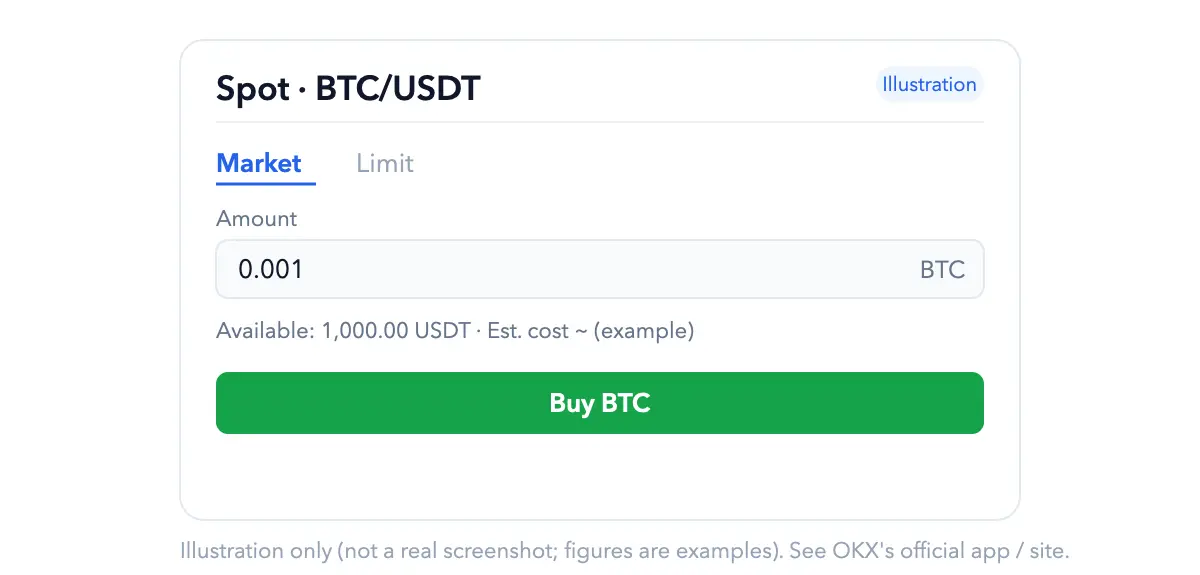
Tip: start small, with a major coin (BTC, ETH), until you're comfortable.
Step 5 — Withdraw
Assets → Withdraw, pick the coin, paste the destination address, double-check the chain, pass security verification and submit. Test with a small amount first.
Futures (high risk — skip as a beginner)
OKX offers perpetual futures and leverage. These can wipe out your capital fast and aren't for beginners. Master spot first.
Download the app
Only from the official site or official app stores — fake apps are a common way people lose their funds.
Secure your account (please do this)
- Turn on 2FA (Google Authenticator).
- Set an anti-phishing code to spot fake emails.
- Add a fund password and a withdrawal-address whitelist.
- No genuine "support agent" will ever ask for your password or seed phrase.
Fees
- Spot trading charges a maker/taker fee that varies by tier, volume and promotions.
- To see current fees: open OKX's Fees page after logging in — we don't quote exact numbers here so they never go stale and mislead you.
- On our advertising relationship, see the Advertising & Commission Disclosure.
FAQ
Do I have to verify my identity? Yes — deposits, trading and withdrawals generally require KYC. Money's in but I can't buy? It's probably still in Funding — move it to Trading. Wrong chain on deposit? Funds may be lost permanently — always check, and test small.
Run a small end-to-end test first
Do not make your first transfer the full amount you intend to use. A safer sequence is to finish the security setup, then test a small amount through the entire deposit → spot purchase → withdrawal flow. Record the asset, network, first and last six address characters, fee, and transaction hash at each step. Scale up only after the test arrives.
Before using the account:
- Verify the domain or app developer instead of entering through a chat link.
- Enable an authenticator or passkey and set an anti-phishing code.
- Make the asset and network match at both ends of every transfer.
- Learn spot trading before considering leverage, futures, or yield products.
- Check the in-account notice because availability and limits vary by region and change over time.
Primary reference: OKX Help Center.
bsvar is an independent third-party guide, not affiliated with OKX. Details may change — OKX's official pages prevail. See our Advertising & Commission Disclosure.