
Guides
Sent USDT on the Wrong Network? How to Recover It (2026)
How to recover USDT sent to the wrong network: check the TXID, work out who controls the destination address, and follow the right route for your scenario.
Last updated: August 2026 · By the bsvar editorial team
In short: whether wrong-network USDT can be recovered depends on one question — who controls the receiving address. If it is you, and both networks are EVM-compatible, the funds are usually still reachable. If it is an exchange, recovery is possible but not guaranteed and depends on their policy. If it is nobody, or the chains are incompatible, the funds are gone. Speed does not change the answer, so gather facts before you act.
Confirmed blockchain transactions are normally irreversible. This guide helps you classify your situation accurately; it cannot guarantee recovery, and nobody who contacts you can either.
Establish the facts first
Before contacting anyone, collect a precise record. Copy the transaction hash (TXID) from the sending wallet or exchange and open it in the block explorer for the network actually used — not the one you intended.
Write down:
- The token and the network the transaction actually travelled on
- The destination address in full
- The status: pending, successful, or failed
- The number of block confirmations
- The timestamp and the amount
- Screenshots of the sending platform's withdrawal record
This distinction matters more than it sounds. A transaction still pending has different options from one marked successful, and a failed transaction usually means the funds never left at all. Confirm which one you have before doing anything else.
If you are not sure how to read an explorer entry, start with Crypto Transfer Not Arrived? Check the TXID First.
Three outcomes, decided by who holds the keys
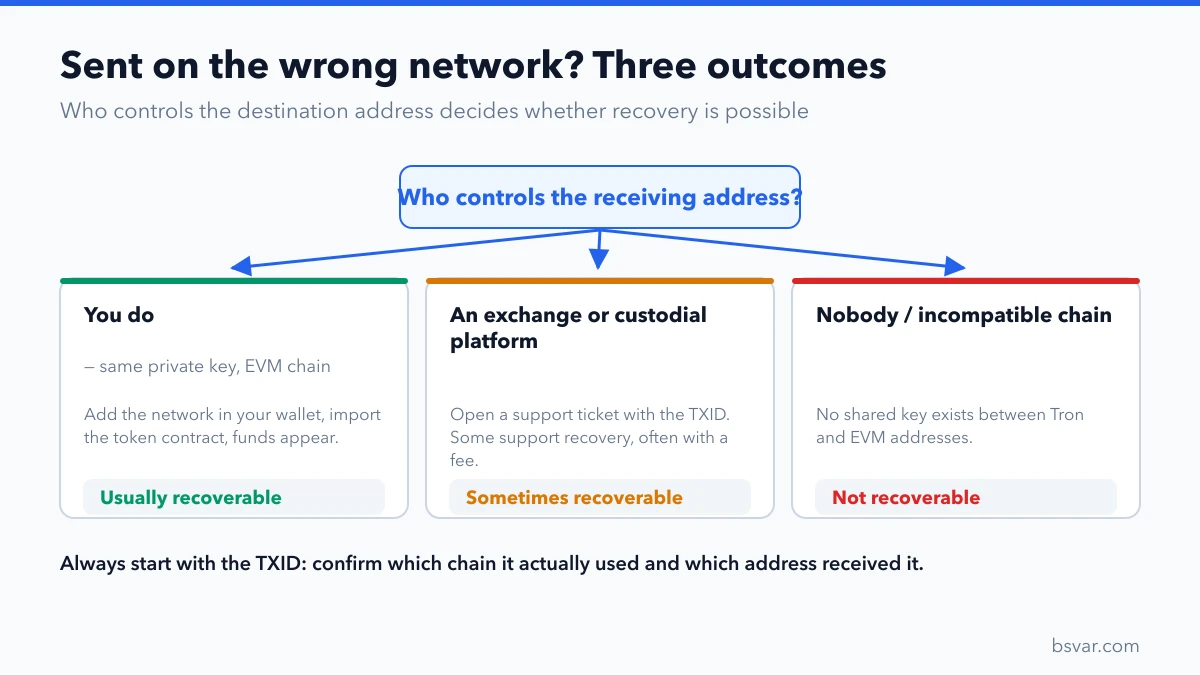
Scenario 1: You control the destination on another EVM network
Ethereum, BNB Smart Chain, Polygon, Arbitrum and other EVM networks derive the same address from the same private key. If you sent to your own wallet address but on the wrong EVM chain, the funds are very likely sitting there already — invisible only because your wallet is not displaying that network or that token.
To recover them:
- Switch your wallet to the network the transaction actually used.
- Add the token manually if it does not appear, using the contract address verified from a primary source such as the explorer's official token page.
- The balance should now be visible.
- To move it, the address needs a small amount of that network's native asset for gas — BNB on BNB Smart Chain, MATIC on Polygon, and so on. You may need to send a little in first.
Two cautions. Verify the token contract from the explorer or the issuer, never from a link someone sends you — fake contract addresses are a standard scam. And never import your private key or seed phrase into a website, however official the "recovery tool" looks.
Binance Academy documents this scenario in detail, including the wallet-import route when your wallet only supports one chain:
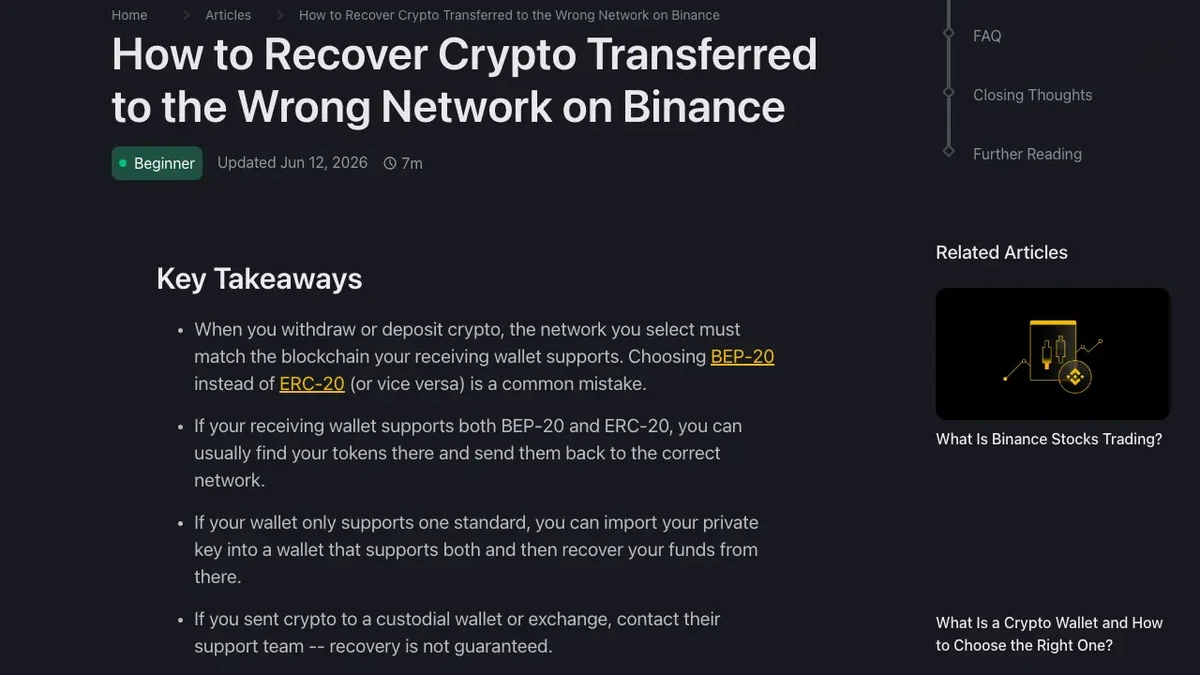
Binance Academy, How to Recover Crypto Transferred to the Wrong Network on Binance. Procedures change — treat it as background, and follow the current official instructions.
Scenario 2: The destination is an exchange or custodial platform
The platform holds the private key, so you cannot switch networks yourself. Your only route is their support process.
Submit a request through the official support channel in your account, including the TXID, token, network actually used, destination address, amount, timestamp and screenshots from the sending side. Be factual and complete in the first message; incomplete tickets get slower responses.
Realistic expectations:
- Some platforms support wrong-network recovery for specific chains; many do not.
- Where it is offered, it is usually manual, slow, and charged as a fee.
- There is often a minimum value below which they will not attempt it.
- A platform that does not support the chain at all cannot help, regardless of escalation.
Open exactly one ticket and let it run. Duplicate tickets reset your position in the queue.
Scenario 3: Wrong address, or genuinely incompatible chains
If a different person controls the destination, only that person can voluntarily return the funds. There is no technical mechanism to compel it.
If the chains are incompatible — a Tron address versus an EVM address, for example — there is no shared private key at all. A T... address and a 0x... address are not two views of one wallet; they are unrelated. In that case the funds are not "stuck somewhere waiting to be unlocked". They are unreachable.
A successful transaction cannot be reversed by a wallet, an explorer or a "blockchain technician". MetaMask's official guidance separates the same cases — pending transactions, EVM-compatible wrong-network transfers, non-EVM transfers, and wrong addresses: funds sent on the wrong network.
Avoid the second loss
The period right after a mistake is when people lose considerably more than the original amount. Recovery scammers monitor public forums and social posts for exactly this moment.
- Never disclose a recovery phrase, private key or verification code. No legitimate process needs them.
- Never install a remote-access tool or a browser extension someone recommends for recovery.
- Reject every upfront fee framed as "unlocking", "gas activation", "clearance" or a guarantee. Real exchange fees are deducted from the recovered amount, not paid in advance.
- Distrust guarantees. No one can promise an outcome that depends on a third party's policy.
- Ignore unsolicited contact. If someone approached you about your loss, that is the tell.
- Do not post your TXID publicly with a plea for help; it marks you as a target.
Preventing the next one
- Always start from the recipient's deposit screen and match the network on the sending side. See TRC20 vs ERC20 USDT: Which One Should You Choose?.
- Send a small test amount on any new route.
- Match asset, network, address and memo/tag at both ends.
- Never reuse a deposit address you saved weeks ago — platforms rotate them.
- Treat the
0xprefix as a hint, not an identification: a dozen different EVM networks share it.
FAQ
The explorer says success but my wallet is empty. What now?
Check which network the transaction actually used, then switch your wallet to it. If the balance still does not show, add the token contract manually. "Success" means the chain processed it — not that your wallet is displaying it.
Can an exchange always recover wrong-network deposits?
No. It depends on whether the platform's infrastructure controls keys on that chain, and on their policy. Some support it for a fee; many decline. Neither answer is a sign of bad faith.
How long does exchange recovery take?
Manual reviews commonly run from days to several weeks. Follow the ticket status rather than an estimate from anyone else.
Should support ever ask for my seed phrase?
Never. That request alone identifies the contact as fraudulent, regardless of what the account looks like.
I sent TRC20 USDT to an ERC20 address. Is it recoverable?
Almost certainly not. Tron and Ethereum addresses are not derived from a shared key, so nobody holds the keys to that destination.
Is there any tool that reverses a confirmed transaction?
No. Any product or person claiming otherwise is a scam. Finality is the property blockchains are designed around.
Does acting fast improve my chances?
Only in the exchange scenario, and only marginally. What determines the outcome is who controls the address — not your reaction time. Gather accurate facts first; a well-documented ticket beats a fast, vague one.
Related guides
- TRC20 vs ERC20 USDT: Which One Should You Choose?
- Crypto Transfer Not Arrived? Check the TXID First
- How to Deposit USDT on Binance
- Avoid Crypto Scams: Common Scams and How to Spot Them
- Seed Phrase Exposed? An Emergency Wallet Plan
Educational troubleshooting only; no recovery outcome is guaranteed. See our Advertising & Commission Disclosure.