
Guides
How to Withdraw from an OKX Sub-Account: Transfer to Main First
OKX sub-accounts can't withdraw directly. Check whether the coins sit in an exchange sub-account or in OKX Wallet, move them to the main account, then withdraw from there.
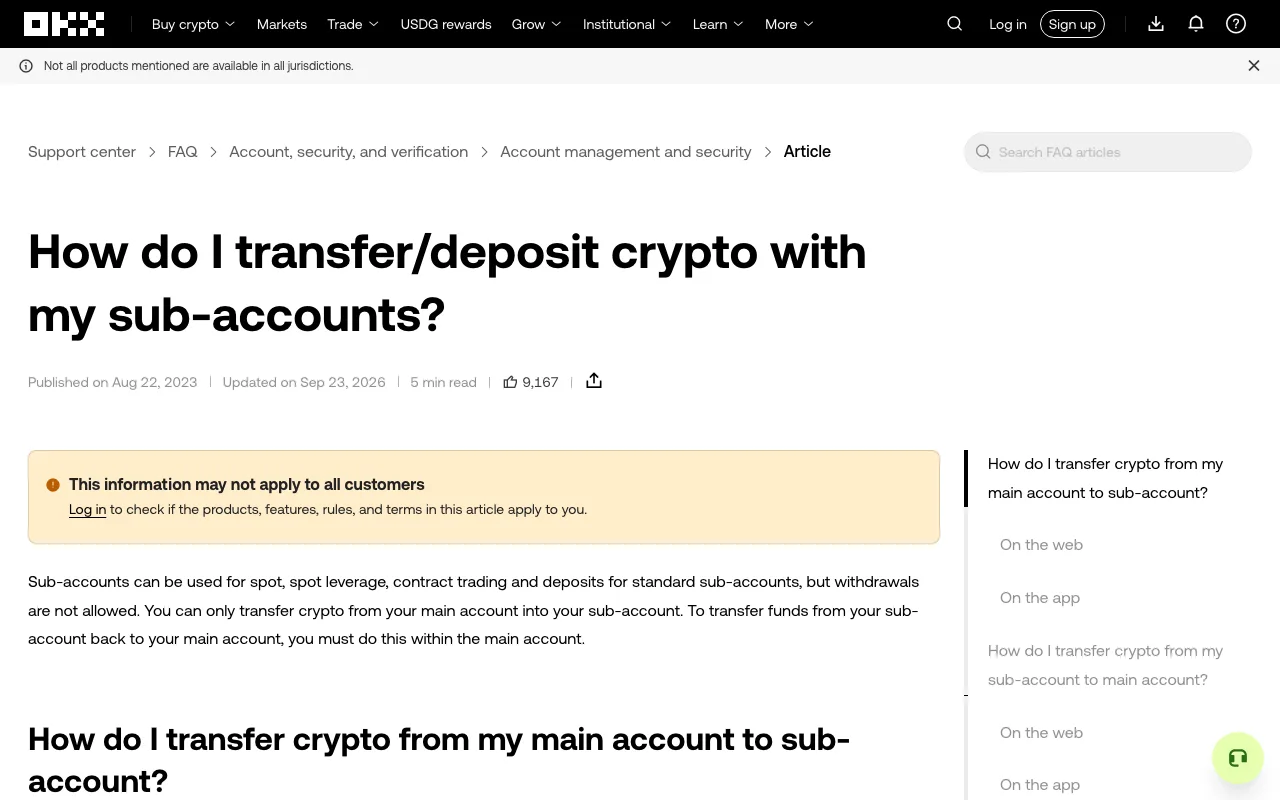
If your coins are sitting in an OKX sub-account (an account created under your main exchange account), you won't find a way to send them on-chain from there. The fix is simple: log in to the main account, transfer the assets from the sub-account back to the main account, and then withdraw from the main account. OKX states the restriction in its sub-account transfer guide: standard sub-accounts can trade and receive deposits, "but withdrawals are not allowed."
Public OKX Support Center page, captured on October 13, 2026. This is the help article, not a logged-in account.
Sub-account, funding account or Web3 wallet: where are your coins?
These three are easy to mix up, and only one of them is covered by the steps below:
- Sub-account: a separate exchange account under your main account, often used to keep trading strategies or bots apart. It cannot withdraw.
- Funding / trading account: these are balances inside one account (main or sub). Moving coins between Funding and Trading does not get them out of a sub-account. In the transfer window you need the Main and sub-account tab, not Funding and trading.
- OKX Wallet (Web3 wallet): a self-custody wallet, not an exchange balance. The OKX Wallet FAQ describes it as "only a self-custody wallet software service", and sending from it needs the network's native coin for gas (for example, ETH on Ethereum). If your coins are here, use the wallet's own Send function instead.
If someone offers to "unlock" or move sub-account funds for you, don't share your login, seed phrase or private key. The transfer below takes a minute and only you need to do it.
How to move coins from a sub-account to the main account
- Log in to the main account, not the sub-account. OKX says transfers back to the main account must be made from within the main account.
- Web: go to Profile > Sub-accounts and pick the transfer icon next to the sub-account, or go to Assets > My assets > Transfer > Main and sub-account.
- App: go to Assets > Transfer > Main and sub-account (the tab may read Portfolio in some app versions).
- Choose the sub-account, the asset and the direction. The form often opens with the main account as the source. Tap the Switch button between the two boxes so that From is the sub-account and To is the main account. Check both sides before you confirm.
- Enter an amount no larger than the available balance and confirm. Then open the main account's assets page and check that the balance arrived. OKX says there are no fees for transfers between main and sub-accounts. The on-chain withdrawal you make next is a separate step and does have a network fee.
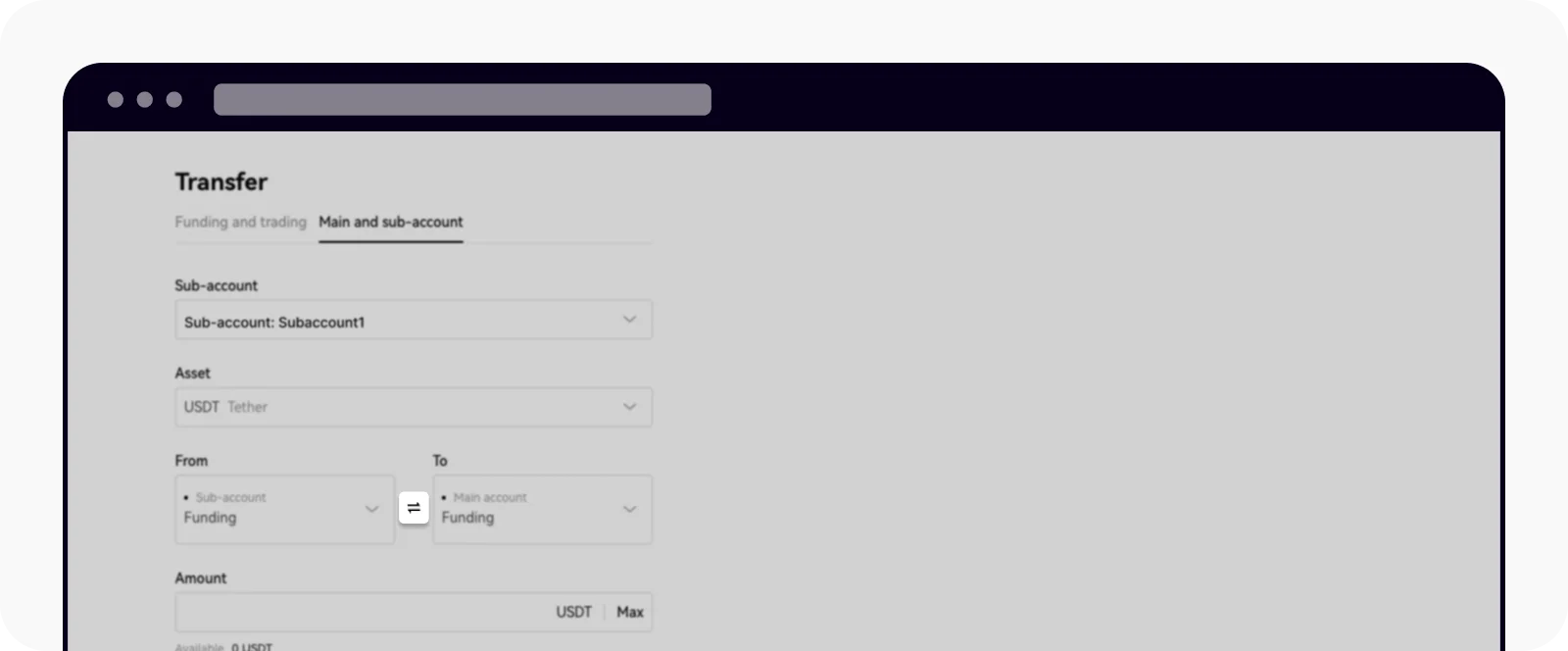
Example web transfer screen published in the OKX sub-account transfer guide. It shows a demo account, not a real user's balance.
Withdrawing from the main account to an external wallet
Once the coins are in the main account, follow the normal OKX withdrawal steps for sending crypto to a wallet: pick the coin, paste the receiving address, choose the network and review the amount and fee the page shows before completing the security checks. The network you choose must be one the receiving wallet or exchange supports. If you are unsure which chain to use for USDT, read how TRC20 and ERC20 USDT differ first.
A successful internal transfer is not the same as a completed withdrawal. The transfer only moves funds between your own OKX accounts. The withdrawal creates a separate record with a transaction hash (TXID). If OKX shows it as sent but the recipient has not received it, look up the TXID on the right network; this guide to checking a transaction on a block explorer explains what the status and confirmations mean. An explorer cannot tell you whether an address belongs to the person you meant to pay, so verify the address before you submit.
Why is the transfer or withdraw button still unavailable?
OKX's "Why can't I withdraw funds?" page lists the common causes. The ones that most often catch people after a sub-account transfer are:
- The funds are still in use. Margin in open positions has to be freed by closing or reducing the position, and Earn assets have to be redeemed (or the term has to end) before they can be moved or withdrawn.
- A temporary hold. Changing security settings, a risk-control review or a recent deposit that hasn't met its confirmation requirement can delay withdrawals.
- Verification or maintenance. Incomplete identity verification or network maintenance for that coin can also block the button.
Don't try to get around a restriction by sending coins to an address that a stranger gives you. If the message on your screen doesn't match these causes, note the exact wording and contact support through the official help center in the OKX app or website.
The short version: coins in a sub-account get transferred to the main account first, then withdrawn from the main account. If they are in OKX Wallet, use the wallet's Send function instead. Menu names can differ by region and app version, so check against what your OKX screen shows.