
Guides
How to Sell Crypto and Cash Out on OKX (2026): Express Sell, C2C and Risk Checklist
Want to turn the crypto in your OKX account into cash? This guide walks through Express Sell and C2C step by step, plus a five-point payment verification routine, a frozen-card risk checklist, and what records to keep.
If you want to turn the crypto in your OKX account into fiat money, there are three main paths. First, Express Sell: OKX quotes you a fixed price and instantly converts BTC, ETH, USDT or USDC into fiat — best for smaller amounts when you value speed and simplicity, provided the feature is available in your region. Second, C2C (P2P) selling: you list your coins on the C2C marketplace and sell to verified merchants or individual buyers, who pay you directly; you release the coins only after confirming the money has arrived — better for larger amounts and for users willing to verify every payment carefully. Third, moving your coins elsewhere first: if you are not in a hurry to cash out, you can withdraw to a self-custody wallet or another compliant platform and decide later — a sensible option if OKX's fiat off-ramps are limited where you live.
Important risk notice (please read): Under China's 2021 regulatory notice, virtual-currency-related business activities are classified as illegal financial activities, and individuals in mainland China who trade crypto face legal risk and risk to their funds. This article is an informational summary and risk-education piece only. It is not investment or trading advice, and it does not encourage readers in any jurisdiction to do anything that violates local law. Always assess the regulations where you live before acting.
Comparing the three cash-out paths
| Path | Speed | How the price is set | Best for |
|---|---|---|---|
| Express Sell | Instant once you confirm the quote | Fixed platform quote; the spread is built into the price, no extra fee after confirmation | Small amounts, maximum convenience; only available in some regions |
| C2C / P2P selling | Depends on how fast the buyer pays — minutes to hours | Merchants and buyers set their own prices; you can compare offers | Larger amounts, users willing to verify each payment |
| Withdraw to a wallet or another platform | On-chain transfer, minutes to tens of minutes | No fiat price involved | Not cashing out yet, long-term self-custody, or limited local off-ramps |
One important clarification: OKX's Convert feature only swaps one crypto for another — it cannot convert crypto into fiat. Do not confuse it with Express Sell. Also note that feature availability differs by country and region; what you actually see in your app is what applies to you.
Express Sell: step by step
Express Sell is the lowest-effort way to sell. The platform shows you a time-limited fixed quote; if you accept, the trade executes at that price. The spread is already included in the quote, and no additional fee is charged after you confirm.
- Open the OKX app, complete identity verification (KYC), go to the buy/sell section and switch to "Sell".
- Choose the coin you want to sell — the feature officially supports selling BTC, ETH, USDT and USDC into fiat — and enter either the crypto amount or the fiat amount you want to receive.
- The app displays a fixed quote with a countdown timer; if it expires, refresh for a new one. Confirm if the price is acceptable.
- After the trade completes, the fiat is credited to your account or linked payout method, as shown on the confirmation screen.
Note that Express Sell is only available in certain countries and regions. If you do not see the option in your app, your region is not currently supported and you will need to use another path.
Selling via C2C: step by step
The C2C model works like this: the buyer pays first, you confirm the money has actually arrived in your account, and only then do you release the coins. The platform escrows your crypto during the trade so neither side can walk away with both the coins and the money.
- Complete identity verification and add your receiving payment method in the C2C settings.
- Open the C2C/P2P page, switch to "Sell", and choose your coin and fiat currency.
- Filter buyers: prefer verified merchants with high trade volume, a long account history and a high completion/positive-feedback rate.
- Place the order. Your coins are escrowed by the platform while you wait for the buyer to pay.
- When the buyer marks the order as paid, check your own bank app or payment tool to verify the money has truly arrived before you release the coins. Never release based on a screenshot or on pressure from the buyer.
Five payment verification rules (apply them to every single trade)
- Trust only official credit records. Whether the money has arrived is determined solely by the transaction record in your own bank app, online banking or payment tool. Screenshots, "payment successful" pages and SMS messages can all be faked.
- Match the payer's real name. The name on the incoming payment must match the buyer's verified name on the platform. If it does not, do not release — contact support instead.
- Refuse third-party payments. If the buyer says a friend or a company account will pay on their behalf, refuse. Third-party payments are a classic vector for tainted funds and disputes.
- Split large amounts into smaller trades. Breaking a big sale into several smaller orders limits your exposure on any single trade and makes it easier to stop if something looks wrong.
- Keep complete records. Save the order number, the full chat log, the bank statement entry and the counterparty's details for every trade — a full checklist follows below.
Frozen bank cards and risk management (the section that matters most)
This is the part Chinese-speaking users care about most, and it deserves the most space. We approach it purely from a risk-education angle: why cards get frozen, how to reduce the risk, and what to do if it happens. Nothing here is about evading regulation — it is about staying away from tainted money.
Why receiving payment for crypto can get your bank account frozen
There are two common causes. The first is tainted upstream funds: the money a buyer sends you may originate from fraud, gambling or other illegal activity. Once an upstream case is opened, law enforcement can freeze every account the money passed through — including yours, even if it only "touched" your card briefly. The second is bank anti-money-laundering (AML) controls: frequent, large, in-and-out transfers that do not match your normal financial pattern can trigger a bank's AML models, and the bank may restrict or freeze the account on its own initiative and ask you to explain the source of funds.
Compliant ways to lower the risk
- Trade only with high-quality verified merchants. Choose verified merchants with large trade volumes, long registration history and high positive-feedback rates. Such merchants generally care about the compliance of their own funds, so the chance of receiving tainted money is comparatively lower.
- Avoid offers priced clearly above the market. If a buyer is willing to pay significantly more than the going rate for your coins, be extremely wary. An above-market premium is a classic hallmark of illicit funds looking for a quick exit — the extra money is effectively the price of the freezing risk being transferred to you.
- Keep chat logs and evidence. Complete order, chat and bank records are your key material for demonstrating to a bank or the police that you traded normally, in good faith and without knowledge of any wrongdoing.
- Do not immediately move incoming funds onward. A widely shared community practice is to let received funds sit in the account for a while before using them. (Note: this is community experience, not an official rule of any bank or platform, and it does not guarantee your card will not be frozen.) Rapid "in-and-out" flows are themselves a pattern AML models watch for.
- Cooperate actively if a freeze happens. First contact your bank to find out what kind of freeze it is — a bank risk-control measure or a judicial freeze. Bank-initiated restrictions can usually be resolved by submitting a source-of-funds explanation and trade evidence. A judicial freeze requires contacting the case-handling authority, proactively providing your complete trade records, explaining where the funds came from and cooperating with the investigation. Never trust intermediaries who offer to "unfreeze your card for a fee" — that is almost always a second scam.
Policy risk for mainland China (must read)
To repeat clearly: under the notice issued by multiple Chinese authorities in 2021, virtual-currency-related business activities are illegal financial activities, offshore exchanges serving mainland Chinese residents are likewise engaging in illegal financial activity, and individual crypto trading is not protected by law — it carries both legal risk and risk to your funds. This article is an informational and risk-education piece. It is not trading advice, it does not encourage any behavior that violates local law, and readers must evaluate their own jurisdiction's rules and bear the consequences of their own decisions.
The alternative: withdraw to a wallet if you are not in a hurry
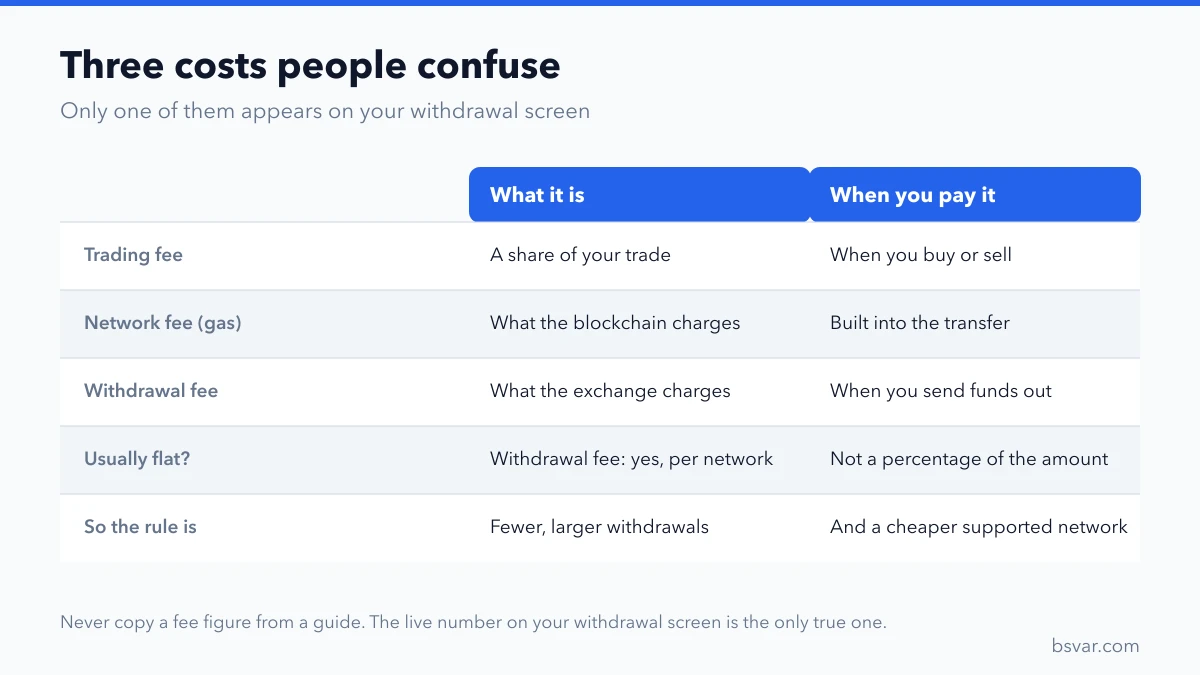
If you do not urgently need fiat, withdrawing your coins to a self-custody wallet is a reasonable alternative. It sidesteps the frozen-card risk of the fiat receiving leg entirely while keeping your options open. When withdrawing, pick the correct network, send a small test amount first, and double-check the address.
Record-keeping checklist
After every sale, archive the following materials by order and keep them for at least several years:
- Platform order number and order screenshots (showing price, quantity and time)
- The complete chat log with the buyer
- The buyer's platform nickname and verified name
- The incoming transaction record from your bank or payment tool (download the electronic receipt where available)
- Proof of your original acquisition cost for the coins (deposit and purchase records), to establish the source of the assets and your cost basis
- A timeline note for anything unusual (for example, the buyer delaying payment, or a third-party payment attempt that you refused)
FAQ
How soon should I release the coins after receiving payment? Once you have confirmed the money has genuinely arrived — verified in your own bank's or payment tool's official records — you should release promptly. Unjustified delays lead to buyer appeals and damage your account reputation. But "promptly" only applies after real confirmation: until you have verified the credit yourself, do not release no matter how hard the buyer pushes.
What should I do if my bank card gets frozen? Contact your bank first to learn the reason and which authority ordered the freeze. For bank risk-control freezes, submit a source-of-funds explanation and your trade evidence as requested. For judicial freezes, contact the case-handling authority, proactively provide your complete orders, chats and bank records, explain the source of the funds and cooperate. Never pay a so-called "unfreezing agent".
Why is the Express Sell price slightly different from the market price? Express Sell gives you a fixed quote with the spread already built in — that is why it differs slightly from the order-book price. The upside is that no additional fee is charged after you confirm: what you see is what you get.
Can I use Convert to swap crypto directly into fiat? No. Convert only supports crypto-to-crypto swaps and cannot convert into fiat. To receive fiat you must use Express Sell or C2C.
Disclaimer
Everything in this article is a summary of public information for educational purposes and does not constitute investment, legal or tax advice. Crypto prices are highly volatile, and crypto trading is an illegal financial activity or heavily restricted in some jurisdictions, including mainland China. Feature availability varies by region — what your OKX app actually displays is authoritative. Readers should evaluate the laws of their own jurisdiction and bear full responsibility for their own actions.