
Guides
Binance KYC Verification: Documents, Selfie and Failure Fixes (2026)
Binance KYC requirements explained: which documents pass document verification, how to get the selfie check right first time, and how to fix a rejection.
Last updated: August 2026 · By the bsvar editorial team
Binance KYC is not based on one universal document list. The documents and steps shown can vary with your country or region, document-issuing country, account type, and the review requested for your account. Use the options displayed inside your own Binance account; do not copy another user’s country setting or submit information that is not true.
In short: Binance identity verification asks for three things — accurate personal details, a clear photo of a supported government-issued document, and a live selfie that matches it. Most rejections are caused by the image, not by you being ineligible. The exact document list depends on your region and account, so the verification screen inside your own account is the only authoritative list.
Binance KYC requirements: quick checklist
| What to prepare | What to check |
|---|---|
| Personal details | Your legal name, date of birth, and other details match the document you will submit |
| Identity document | It is unexpired, undamaged, and listed as supported in your current verification screen |
| Camera and lighting | The camera is clean, the room is evenly lit, and the document can be photographed without glare |
| Selfie or liveness check | Your full face is visible without a hat, dark glasses, beauty filter, or another person in frame |
| Address evidence, if requested | The document type, issue date, name, and address meet the instructions shown in your account |
A passport, national identity card, or driver’s license may appear as an option, but availability is account- and location-dependent. Proof of address is not requested in every flow. Treat the verification screen in your account as the current source of truth.
Where to start identity verification
In the Binance app, open the account area and look for Verifications or Identity Verification. Labels and layout can change between app versions and regions. Start only from the official Binance app or website, not from a link sent by an unknown support account.
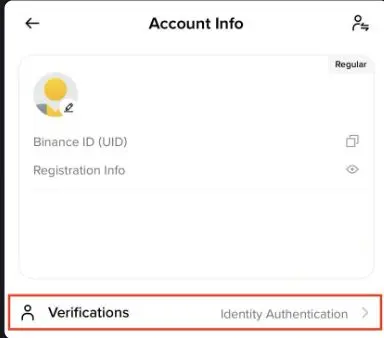
Real Binance app screenshot published in Binance Academy’s official Binance Pay setup guide. It shows the verification entry, not a promise that every account will have identical menus or requirements.
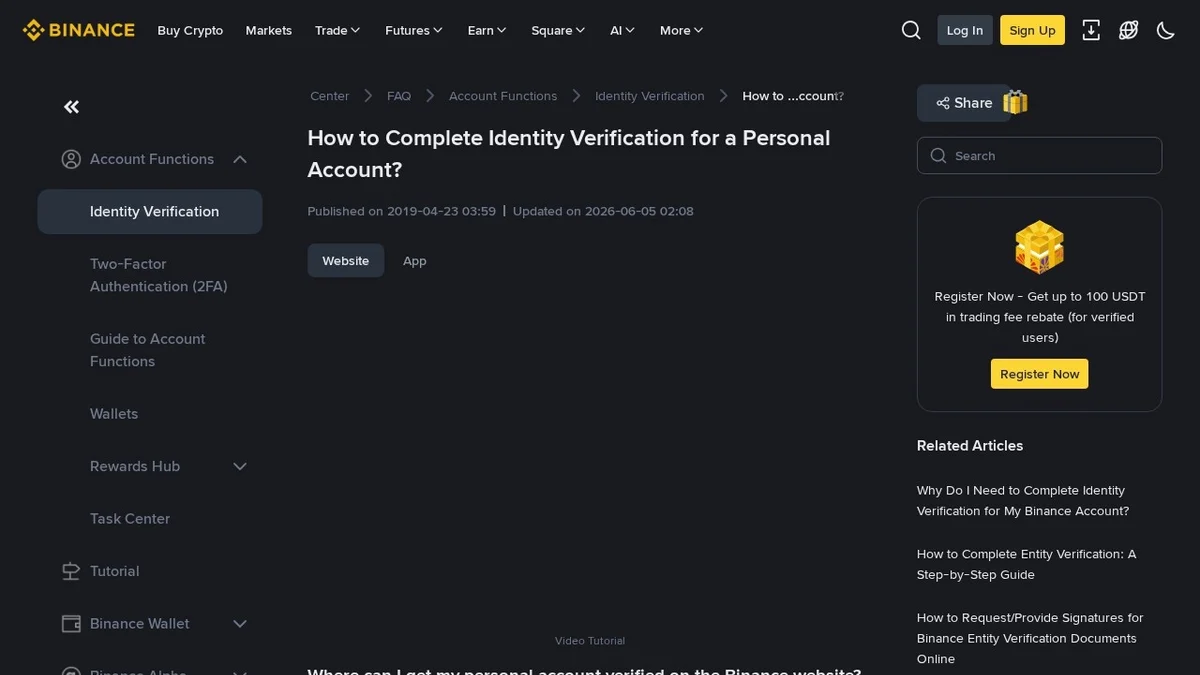
Binance's official help-centre article, How to Complete Identity Verification for a Personal Account. Screens and requirements are updated by Binance — always follow the version shown in your own account.
Verification levels and what they unlock
Binance uses tiered verification rather than a single pass/fail gate. A basic level typically unlocks core deposit, trade and withdrawal functionality; higher levels raise limits and open additional products, and may ask for further evidence such as proof of address or source of funds. The specific tier names, limits and requirements differ by region and change over time, so read the limits displayed in your own account instead of a figure quoted in any guide — including this one.
The practical implication: if a feature is blocked, check which tier it requires before assuming your verification failed. Being at a lower tier is not the same as being rejected.
How to photograph the identity document
- Select only a document type offered on your verification screen.
- Check that the document has not expired and that its details are readable.
- Place it on a plain surface in even light.
- Keep all four corners inside the frame.
- Check for blur, glare, shadows, cropped text, and fingers covering security features.
- Submit an original camera capture when requested; do not add watermarks, filters, edits, or screenshots of a scan.
What "document verification" is actually checking
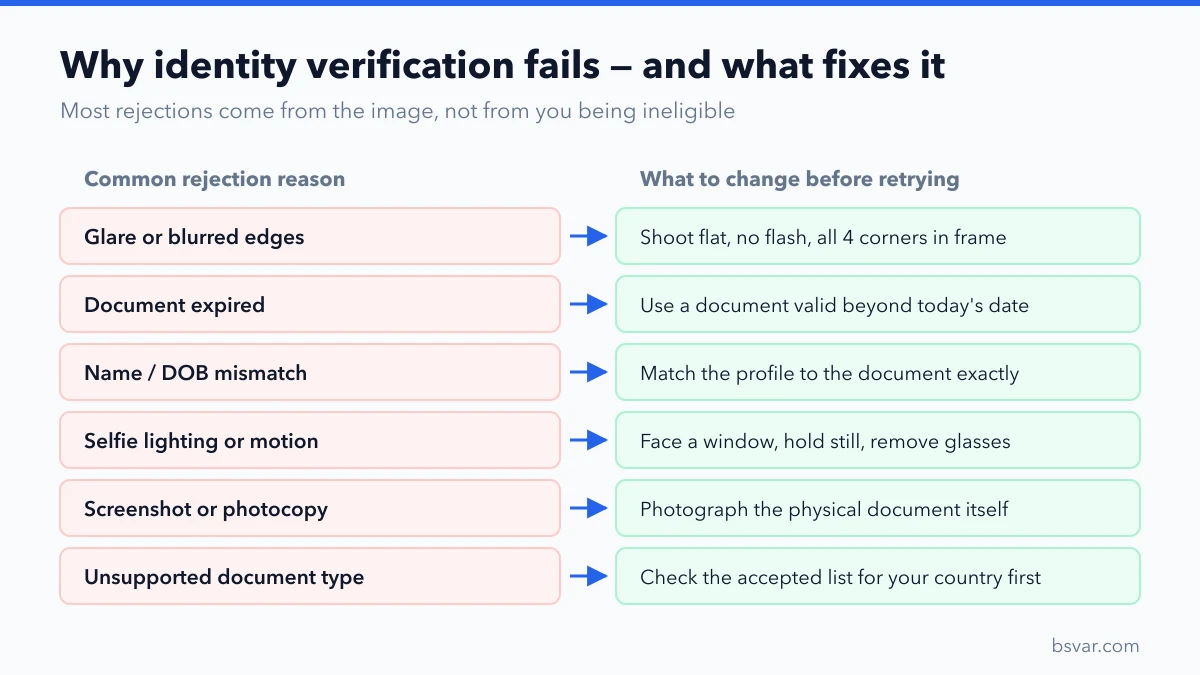
The automated review is looking for a small number of specific things, and knowing them makes a retry far more likely to pass:
- Authenticity signals. Holograms, microprint and security patterns need to be visible. A photocopy, a scan, or a photo of a screen strips these out, which is why those are rejected even when perfectly legible.
- Full document boundaries. All four corners in frame, with a margin. A cropped edge reads as a partial or altered document.
- Machine-readable zone. On a passport, the two lines of
<<<-separated text at the bottom must be sharp. Blur here alone can fail an otherwise good photo. - Consistency with your typed details. The name, date of birth and document number extracted from the image are compared against what you entered.
- Expiry date. A document that expires next week is fine today; one that expired last week is not.
Common avoidable failures: shooting on a patterned tablecloth instead of a plain surface, using flash directly on a laminated card, holding the document at an angle so text keystones, or covering a corner with a thumb.
Before submitting, compare the spelling, name order, birth date, and document number with the personal details entered in the account. Transliteration and middle-name differences can cause a mismatch even when the identity belongs to the same person.
How to complete the selfie or liveness check
Use a stable connection and follow the movement prompts on screen. Keep the camera at eye level, show your whole face, and remove anything that hides facial features. Avoid beauty filters and very bright backlighting. If the app cannot access the camera, check the device permission for the official Binance app, close other apps using the camera, and reopen the verification flow.
Getting the selfie step right the first time
The liveness check is confirming two separate things: that the face matches the document photo, and that a real person is present rather than a photo or a recording. That second check is why the app asks you to turn your head, blink or move closer.
What helps:
- Face a window or a soft light source. Light on your face, not behind you. Backlighting turns your face into a silhouette and is the single most common selfie failure.
- Hold the phone at eye level and keep it steady. Bracing your elbows against a table works better than an outstretched arm.
- Remove glasses, hats, masks and headphones. Prescription glasses often cause glare that obscures the eyes.
- Turn off beauty filters and portrait-mode smoothing. These alter facial geometry and can defeat the match.
- Be alone in frame. A second face in the background can fail the check.
- Move slowly when prompted. Fast movement produces motion blur that the check reads as an inconsistency.
If the camera does not open at all, that is a device permission issue rather than a verification failure: check the camera permission for the official Binance app in your phone settings, close other apps holding the camera, then restart the verification flow.
Never send a selfie, identity document, password, one-time code, or screen-sharing access to someone claiming they can approve KYC manually. Use only the upload flow inside Binance and its official support channel.
Why Binance verification fails
| What you see | Likely issue to check | Safe next step |
|---|---|---|
| Details do not match | Name, birth date, document number, or country information differs | Compare every field with the current document and correct only inaccurate information |
| Document not supported | That document type or issuing country is not accepted in the displayed flow | Return to the document-selection screen and use a genuinely eligible option shown there |
| Image cannot be read | Blur, glare, cropped edges, low resolution, or an expired/damaged document | Retake the image in even light with every edge and line of text visible |
| Selfie or face check fails | Poor lighting, camera obstruction, filters, or a facial mismatch | Clean the camera, improve lighting, remove face coverings, and retry only when the account allows it |
| Identity already used | The identity may already be associated with another account | Do not create more accounts; use the official account-recovery or appeal route |
| Review remains pending | A manual review or additional information may be required | Keep the submission record and follow the status and instructions shown in the account |
Do not repeatedly change nationality, residence, or document country merely to get a different list of documents. Nationality, document-issuing country, current residence, and tax residence describe different facts. Incorrect entries can create additional review problems.
What to do after a rejection
Save the complete error message, the time of the attempt, the app version, and the document type selected. Read any retry period before submitting again. If the account offers an appeal or asks for another document, follow that exact workflow. Binance Academy’s overview explains that KYC commonly involves government-issued identification, possible address evidence, and sometimes enhanced review: What Is KYC?.
Official support does not need your password, authenticator code, SMS code, seed phrase, or remote access to your device. A person offering a paid “fast-track approval” is not a safe substitute for the account’s official review process.
FAQ
What documents does Binance accept for KYC?
The available document list varies. Check the identity-verification screen in your account and select only a current, supported document that belongs to you.
Is proof of address always required?
No. It may be requested depending on the account, region, product, or review. If requested, follow the displayed rules for document type, date, name, and address.
How long does Binance verification take?
There is no reliable universal time. Automated checks and manual reviews can take different amounts of time. Use the status and any estimated time shown in your account rather than a third-party promise.
Can I open another account if KYC fails?
Do not create additional accounts to work around a duplicate-identity or eligibility message. Use Binance’s official recovery, appeal, or support workflow.
Why does my Binance selfie keep failing?
Almost always lighting or motion rather than identity. Face a window, hold the phone steady at eye level, remove glasses and any filter, and make sure no one else is in frame. If it still fails after a careful retry, check whether the account has imposed a retry waiting period before attempting again.
What does "document not supported" mean?
The document type or its issuing country is not accepted in the flow currently shown to your account. Return to the document-selection screen and choose from the options actually listed there. Do not change your country setting to unlock a different list — that creates a data-accuracy problem that is harder to resolve than the original one.
Can I use a photo of my ID that I already have on my phone?
Generally no. Verification flows normally request a live camera capture, and a stored image, screenshot or scan usually fails the authenticity check. Photograph the physical document when prompted.
My verification has been pending for days. Is something wrong?
Not necessarily. Submissions that fall outside the automated path go to manual review, which takes longer and does not always show a progress indicator. Keep your submission record and follow the status shown in the account. Avoid resubmitting repeatedly, which can push you back in the queue.
Does verification have to be redone later?
Sometimes. A document can expire, regional rules can change, or a higher tier can be required for a product you newly want to use. A re-verification request is routine and is not an indication of a problem with your account.
Related guides
- How to Sign Up on Binance
- How to Deposit USDT on Binance
- How to Withdraw Crypto From Binance
- OKX KYC Verification: How to Verify with Your Passport
- How to Spot a Fake Exchange or App
Independent educational guide. Verification requirements and service availability are determined by Binance and applicable local rules and can change. See our Advertising & Commission Disclosure.